Home / Docs / TurboCAD User Guide / TurboCAD User Guide / Copilot / Copilot Registration

Copilot Registration

Copilot Registration

Estimated reading: 1 minute 86 views

Default UI Menu: Help/Copilot Registration

Ribbon UI Menu:

img

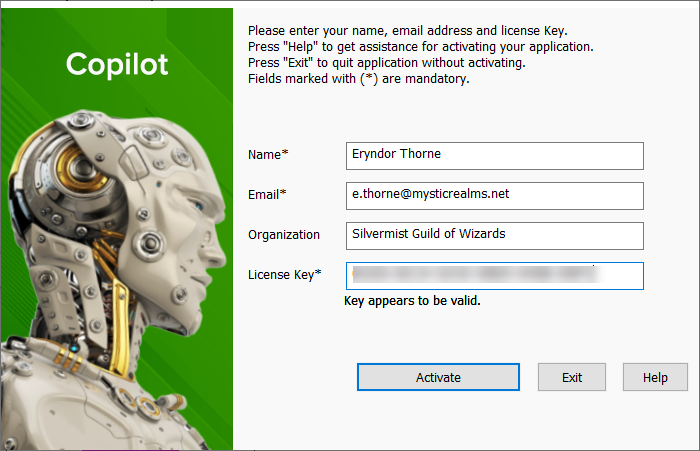
The Copilot registration dialog can be accessed from the Help menu by clicking on Copilot Registration. This will open a Registration dialog.
img

It requires Name, Email, Organization (optional), and License Key.

Leave a Comment

Share this Doc

Copilot Registration

Or copy link

CONTENTS
Antimanual

Ask our AI support assistant your questions about our platform, features, and services.

You are offline
Chatbot Avatar
What can I help you with?
