Tutorial Session 3
Task Drawing & Worksheet
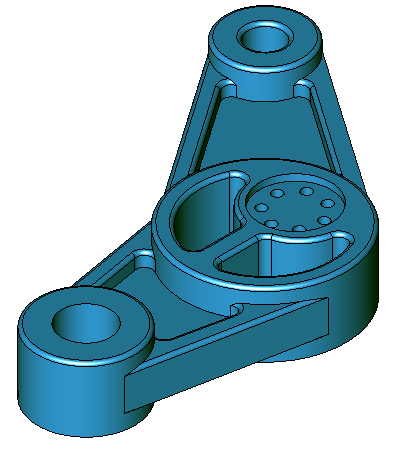
What you will learn in this Session
During this session you will learn how to :
- Copy objects to a new layer.
- Manipulate and modify profiles.
- Extrude multiple profiles.
- Add new sketch objects in context.
- Use the Hole feature to create a hollow cylinder.
- Assemble and combine parts.
Introducing
The following tools will be used during this Session :
- Translate (move)
- Sketch & Modification tools.
- Hole feature.
- Transparency Mode and Ambient Light Settings.
- Blend Edges.
Information about this Session
- The 3D model in this Session is produced from the 2D sketch geometry created in the 2D Tutorial of this Session. If you have not produced the sketch or retained a copy, use the sample drawing for this Session.
- 3D Solids are seldom created as a single unit. In this Session, each distinct part of the solid will be created as a ‘part’ and assembled to form the solid.
- Some views in the illustrations may be rotated for illustrative clarity. Should you wish to rotate view to reflect the view shown in the illustrations, use View > Rotate View.
- The sample drawing for this session contains the 2D Sketch and the 3D Model. Frequently, these 2 layers are superimposed. Use the Concept Explorer to control the display of the layers. Create your own layers if you wish to produce the design from scratch or pan to an unused area of the editor.
Estimated Session Duration
- Approximately 60 minutes drawing time. Total session duration may vary.
